

How to export a document
1
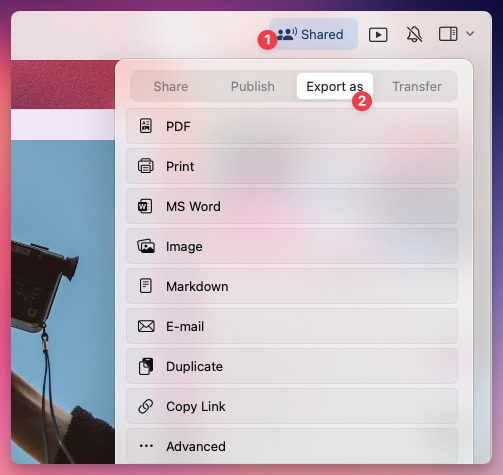
Open the document you want to export.
2
Click on the Share button in the top-right corner.
3
Select Export As.
4
Choose the desired export format.
Available export formats
The available formats vary depending on which platform you’re using:- macOS
- iOS
- Windows
- Web
- PDF (.pdf) – Ideal for sharing a formatted, print-ready version of your document.
- Microsoft Word (.docx) – Exports a Word-compatible file for further editing.
- Image (.png/.jpeg) – Converts the document into an image.
- Markdown (.md) – Retains structure and basic formatting for use in other apps.
- TextBundle (.textbundle) – Exports Markdown along with embedded images and attachments.
- Email – Sends the document directly via email.
PDF export options
When you export a document as PDF, Craft opens an export sheet with options for paper size, font size, and what to include in the output. The available toggles and defaults differ slightly between platforms.- macOS / iOS
- Web / Windows
Tap Save As… to finish the export.
On Web and Windows, the Show Watermark toggle is on by default. Turn it off in the export sheet if you don’t want the Craft watermark on the bottom of the PDF. On macOS and iOS the watermark is off by default.
To export or copy tables made in Craft to Excel:
- Export the document or page from Craft to Word.
- Copy the desired table in Word, paste it into Excel.
Exporting multiple documents at once
Bulk exporting multiple documents at once is only available on Mac and iPad. The available formats for bulk export are:- Markdown (.md)
- TextBundle (.textbundle)
- PDF (.pdf)
How to bulk export multiple documents
1
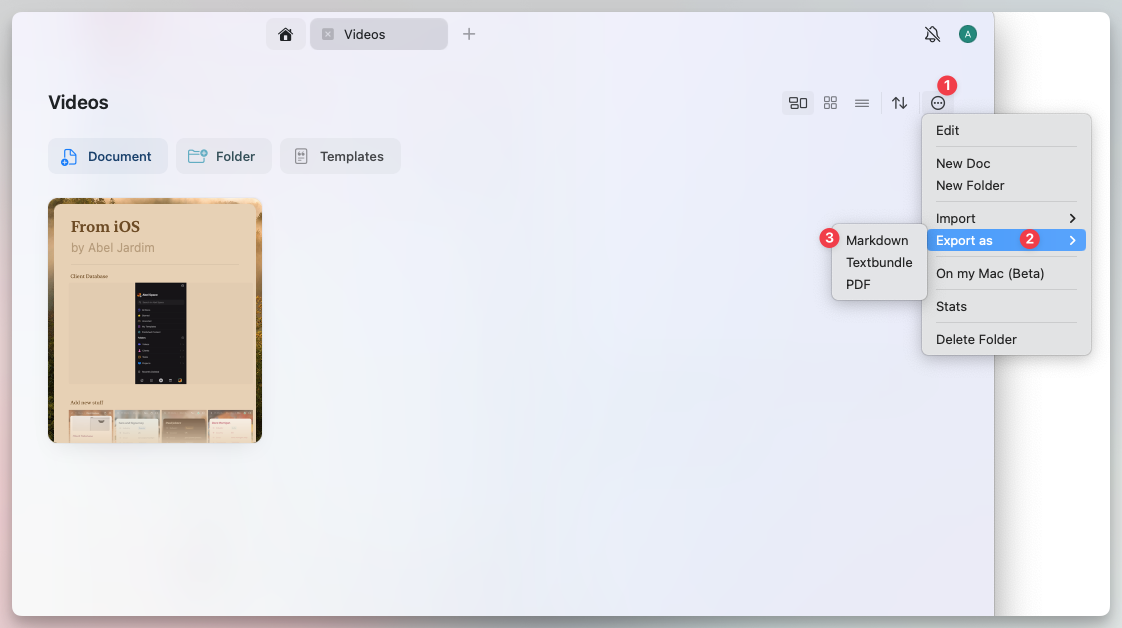
Navigate to a folder that contains the documents you want to export.
2
Select multiple documents by tapping and holding (iPad) or using Shift + Click (Mac).
3
Tap the three-dot menu (⋯) in the top-right corner.
4
Select Export As, then choose a format.
Export daily notes
On Mac, iPhone, and iPad you can export your daily notes as Markdown files. Export all of them at once, or pick a date range. You can start the export from two places:- From All Docs
- From the Calendar
1
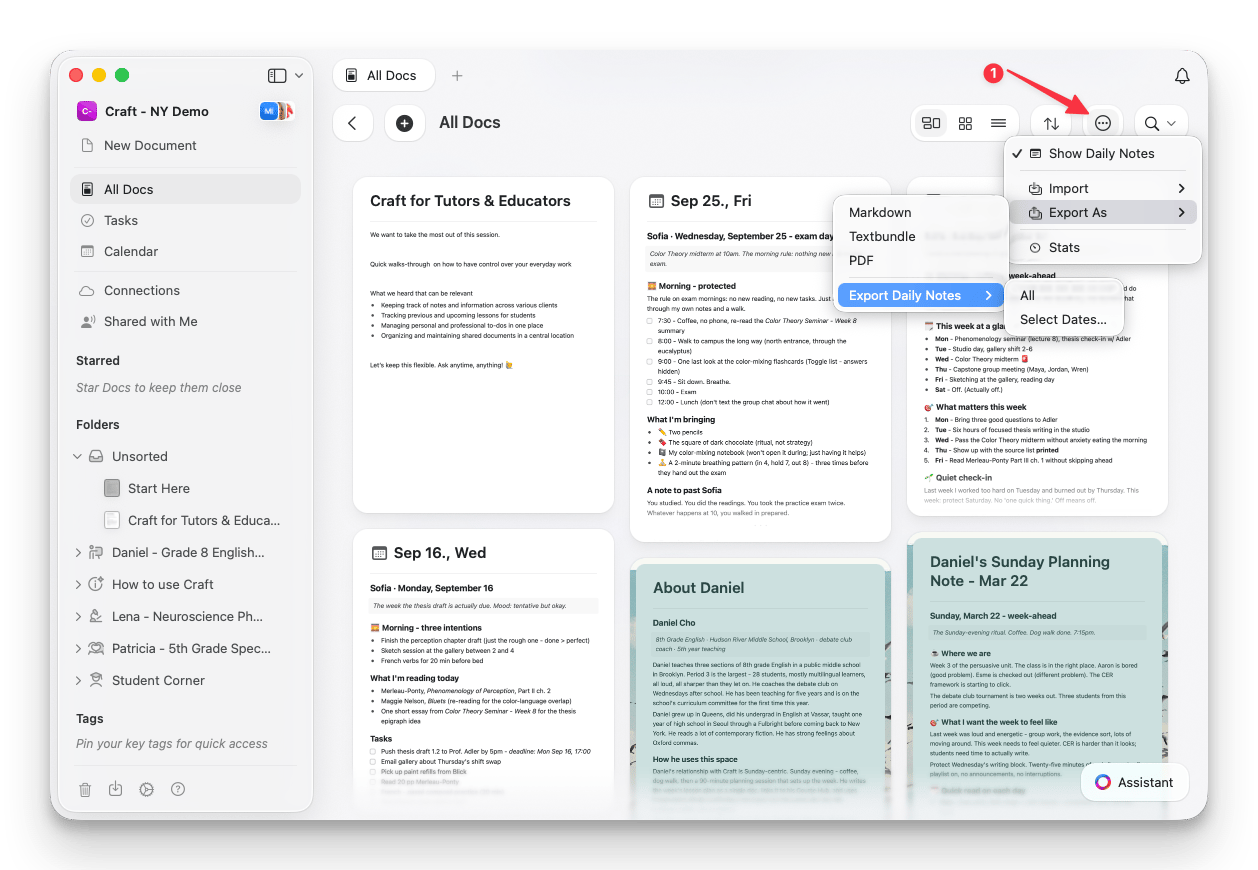
Open All Docs from the sidebar.
2
Tap the three-dot menu (⋯) in the top-right corner.
3
Select Export As, then Export Daily Notes.
4
Choose All, or Select Dates… to export a date range.
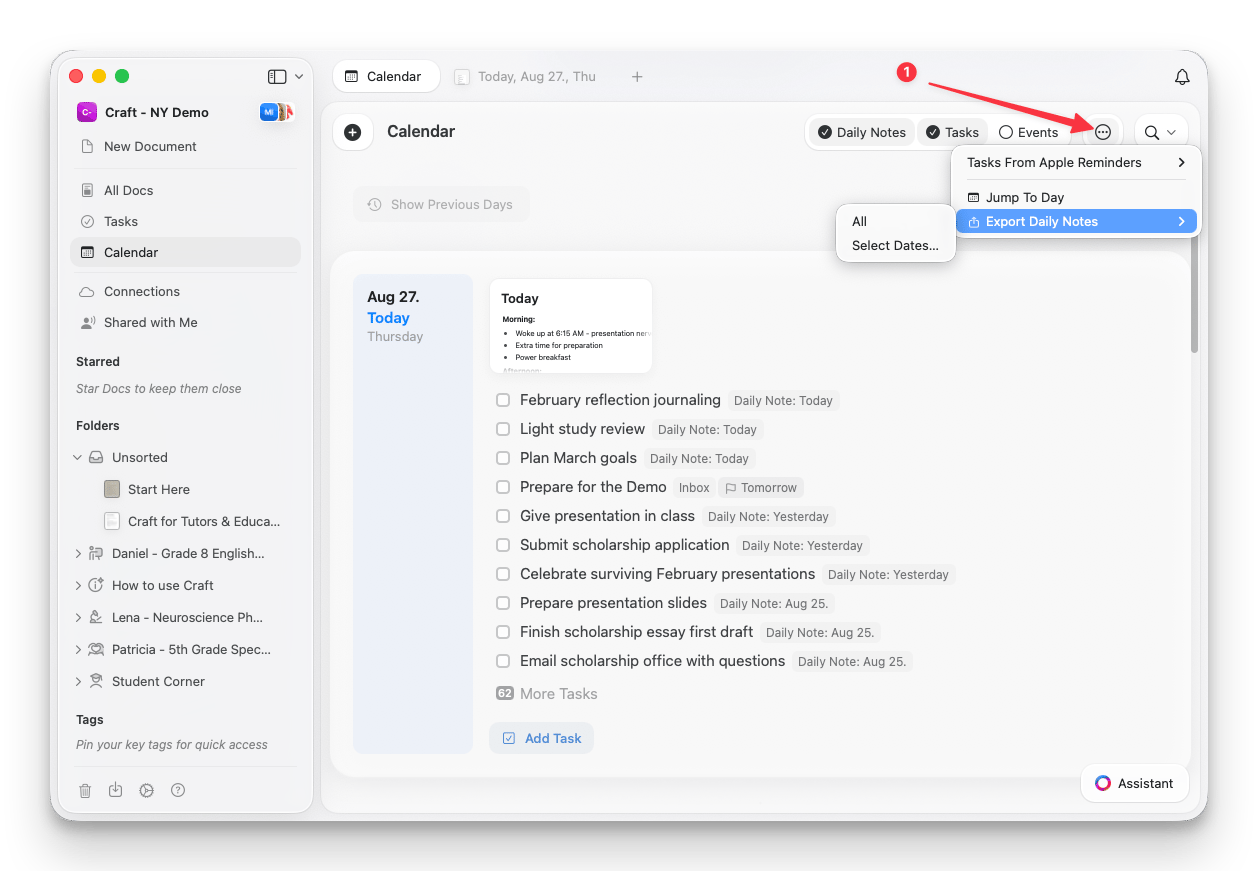
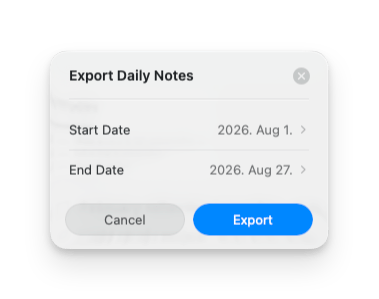
Only days that have a daily note are included in the export. Days without a note are skipped.
Sharing vs. exporting
- If you want to collaborate on a document, consider using Share Links instead of exporting. This allows others to view or edit the document in Craft.
- You can also publish documents online via Public Links for easy sharing.
Best practices for exporting
- Use PDF or Word for professional document sharing.
- Choose Markdown or TextBundle for cross-platform compatibility.
- Batch export multiple documents for backups or migrations (Mac & iPad only).
- Check formatting after exporting to ensure all elements appear correctly.