

How to export a folder
1
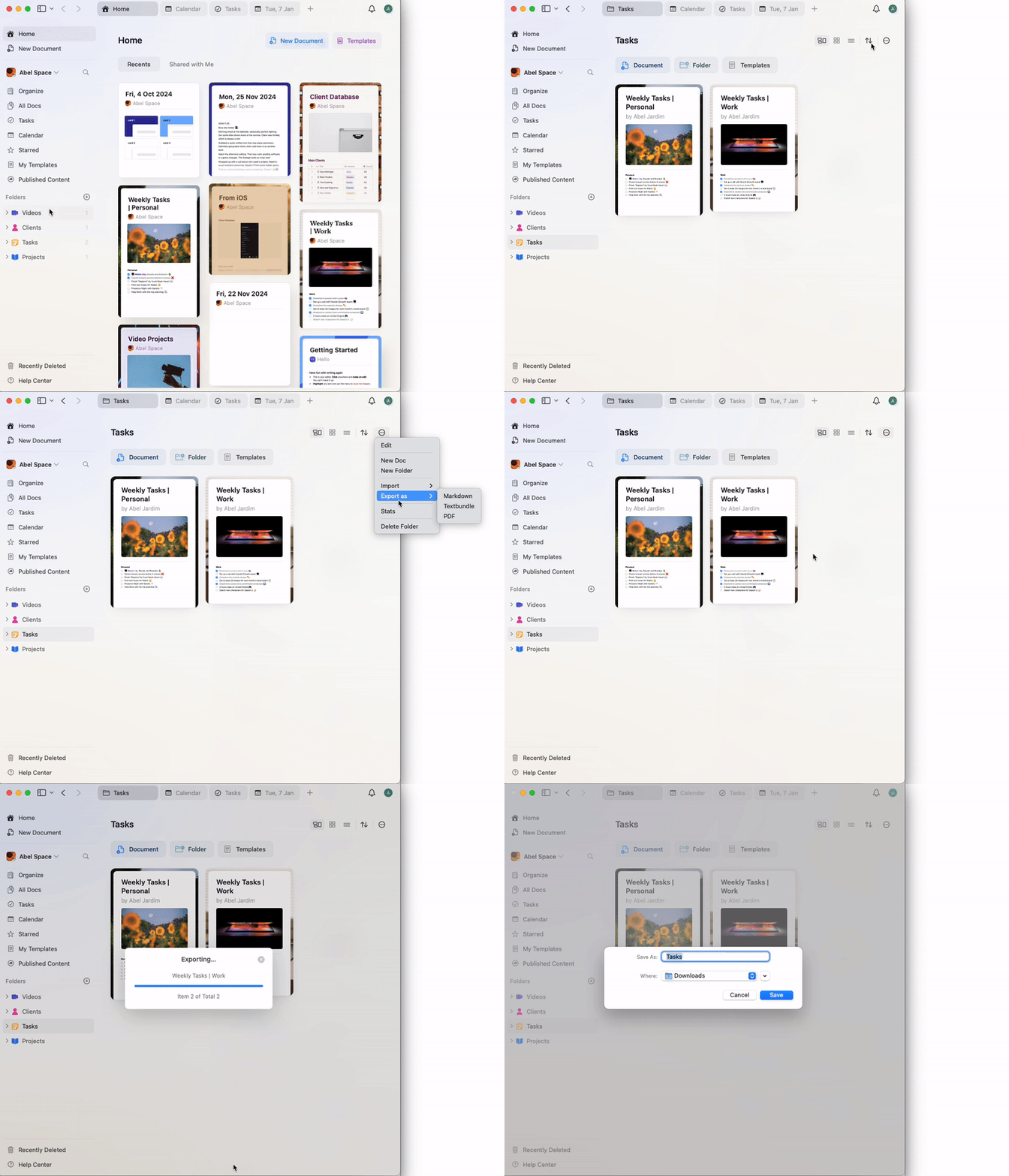
Open the FolderNavigate to the folder you wish to export.
2
Access the Export OptionClick on the three-dot menu in the top-right corner of the folder view.
3
Select ExportChoose your desired export format (e.g., PDF, Markdown, TextBundle, etc.).
4
Save the Exported FileFollow the prompts to save the file to your desired location on your device.
The export will include all documents and subpages within the folder. If you encounter any issues during export, ensure your app is up to date and try exporting smaller batches if needed.