

- Email address
- Apple ID
- Google account
- Microsoft account
- SSO (Single Sign-On) for organizations
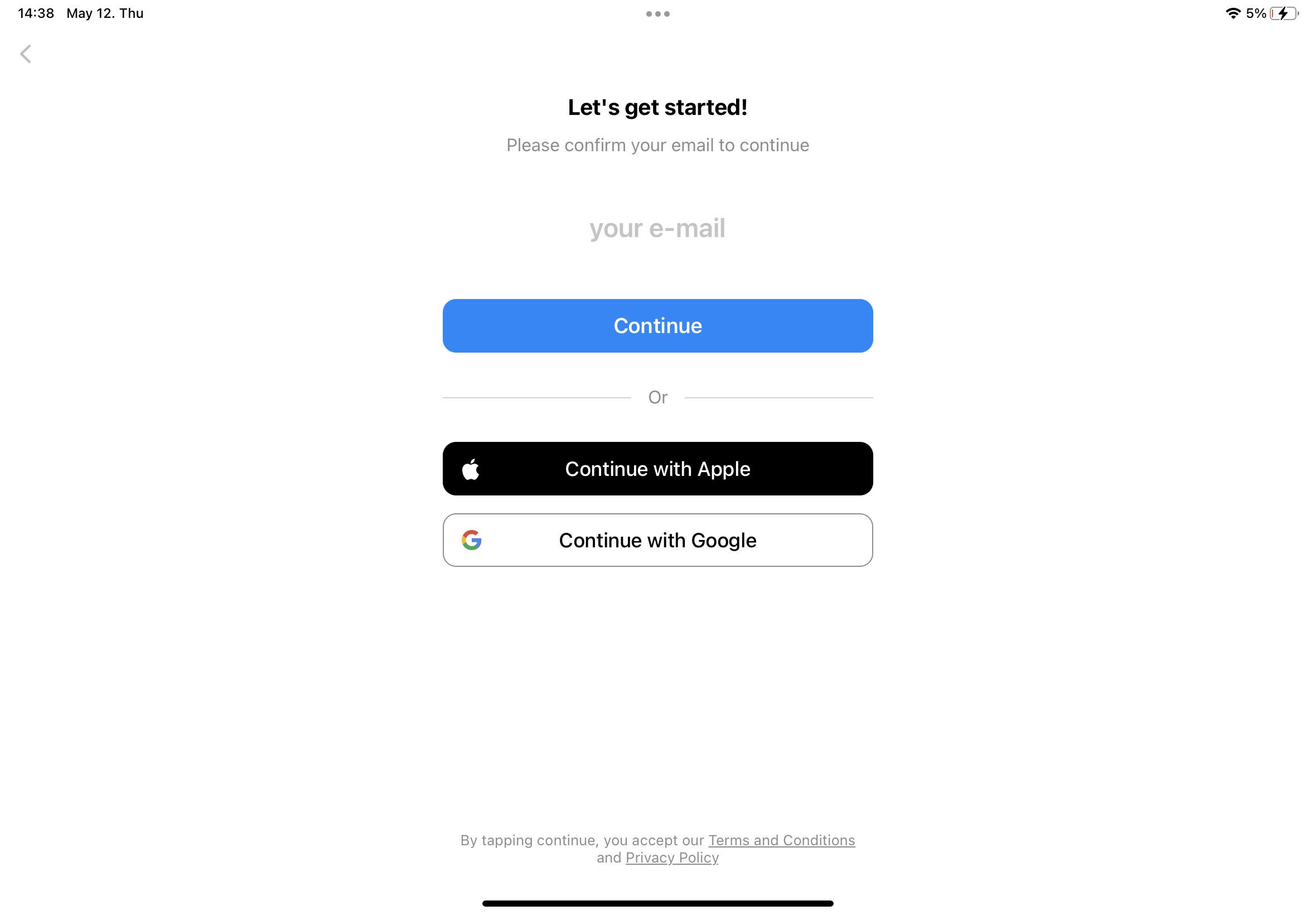
Sign in with Email
1
Enter your email address in the login screen.
2
Check your inbox for a 6-digit verification code.
3
Enter the code to complete sign-in.
Sign in with Apple ID
1
Select Continue with Apple on the login screen.
2
Choose whether to share your email with Craft.
3
Click Continue to finish signing in.
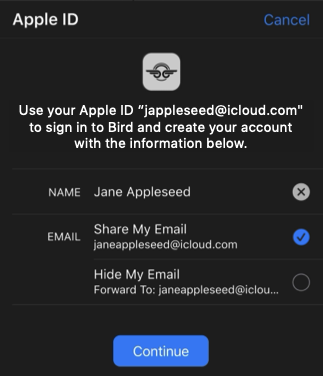
When you select “Hide My Email”, Apple creates a unique relay email address tied to your account. This works with Craft, but we recommend sharing your actual email for easier account recovery. Learn more in Apple’s support article.
Sign in with Google
1
Select Continue with Google on the login screen.
2
Choose your Google account or complete Google sign-in.
3
Grant Craft permission to access your account information.
Sign in with Microsoft
1
Select Continue with Microsoft on the login screen.
2
Complete sign-in with your Microsoft account credentials.
3
Grant Craft permission to access your account information.
SSO (Single Sign-On)
If your organization uses SSO, you can sign in using your company credentials.1
Select Continue with SSO on the login screen.
2
Enter your organization’s SSO domain or identifier.
3
Complete authentication through your organization’s identity provider.
SSO is available for organizations on Team plans. Contact your IT administrator to set up SSO for your team.