

Why the Help Agent matters
When you’re working, even a small interruption can pull you out of focus. A simple question like “Can I link items in a collection to other documents?” might take several minutes to solve if you have to search for documentation. These context switches add up, especially if you’re learning Craft, exploring new features, or onboarding to a team workspace. The Help Agent removes that friction. It gives you quick, reliable answers in seconds, right inside the app.Opening the Help Agent
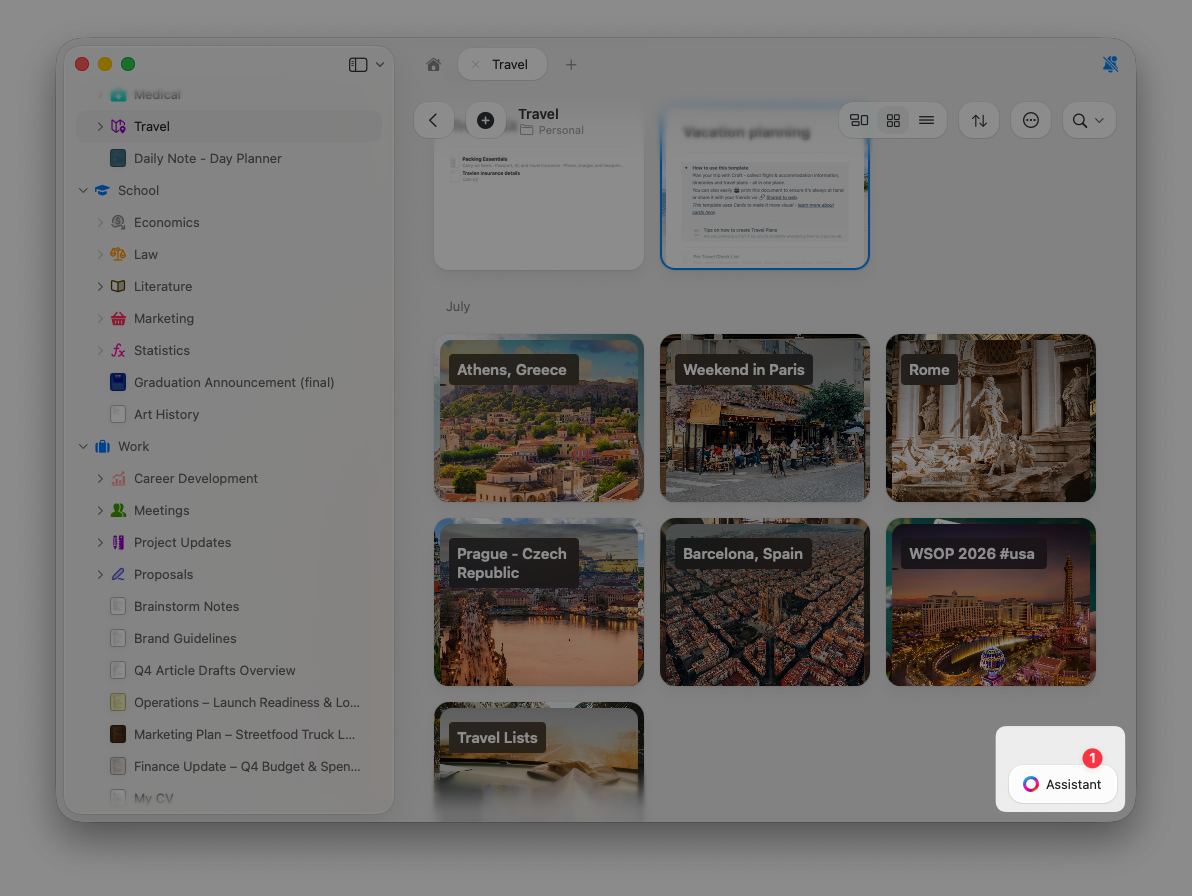
You can bring up the Help Agent at any time:1
Click the Assistant icon in the bottom right corner of the Craft interface.
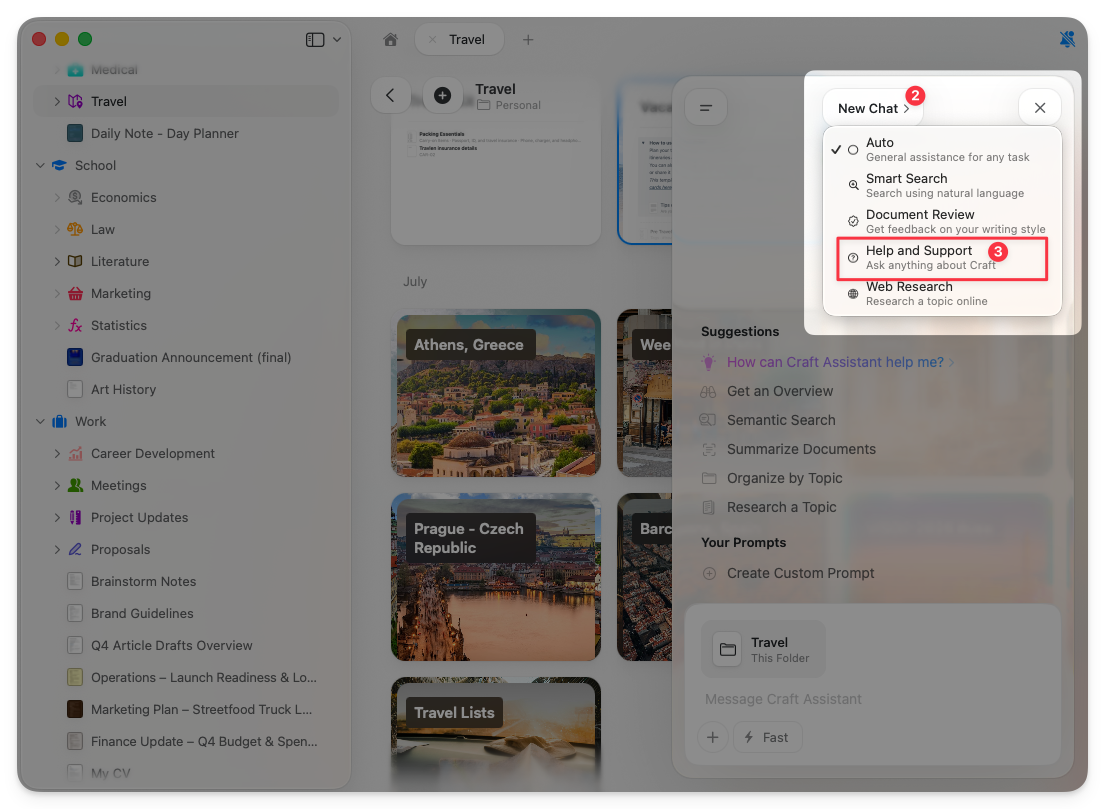
2
Select New Chat.
3
Choose Help Center from the agent list.
Example questions
The Help Agent can answer a wide range of questions about Craft: Getting started:- “How do I create a new space?”
- “What’s the difference between a space and a folder?”
- “How do I invite team members?”
- “Can I link collection items to other documents?”
- “How do I set up custom domains for published pages?”
- “What keyboard shortcuts are available?”
- “Why aren’t my calendar events showing up?”
- “How do I fix sync issues?”
- “Why can’t I see shared content?”
- “How do I use the API?”
- “What’s the difference between Fast and Max models?”
- “How do I set up MCP with Claude?”
- “How do I switch between Explore and Execute mode?”
- “Can the Assistant create subpages for me?”
- “How do I undo changes the Assistant made?”
Example: Linking collection items
Imagine Marcus, a freelance designer setting up a collection to track project deliverables. He wants to link items in the collection to other documents but isn’t sure if this is possible. Instead of stopping to search online, Marcus opens the Help Agent and asks: “Can I link collection items to other documents?” The Help Agent instantly replies:- Yes, it’s possible using relations.
- It explains how to set them up.
- It takes about 20 seconds.
When to use the Help Agent
Use the Help Agent whenever you need quick clarity, such as:- Learning Craft for the first time
- Checking whether a feature exists
- Figuring out how to use a specific tool
- Troubleshooting unexpected behavior
- Supporting team onboarding
- Understanding plan differences or billing
Help Agent vs. regular Assistant
Use the Help Agent for questions about Craft itself. Use the regular Assistant for questions about your content, summaries, and document work.
Choosing a different agent does not move your current conversation over. If the open chat already has messages, selecting Help Center starts a new chat. The earlier conversation stays in Conversation History, where you can reopen it.
Stay in flow
The Help Agent is designed to keep you focused on your work. No browser tabs. No searching. No context switching. Just fast, precise help right when you need it. Craft handles the guidance so you can keep creating.Related Articles
Using Craft Assistant
Learn how to work with your content using AI
Custom Prompts
Create reusable instructions for consistent results
Editing with Craft Assistant
Learn how the Assistant can modify your documents directly
Usage & Limits
Understand AI usage (Help Agent is free)