

How It Works
When you have text selected, simply type an opening character and Craft automatically adds both the opening and closing characters around your selection.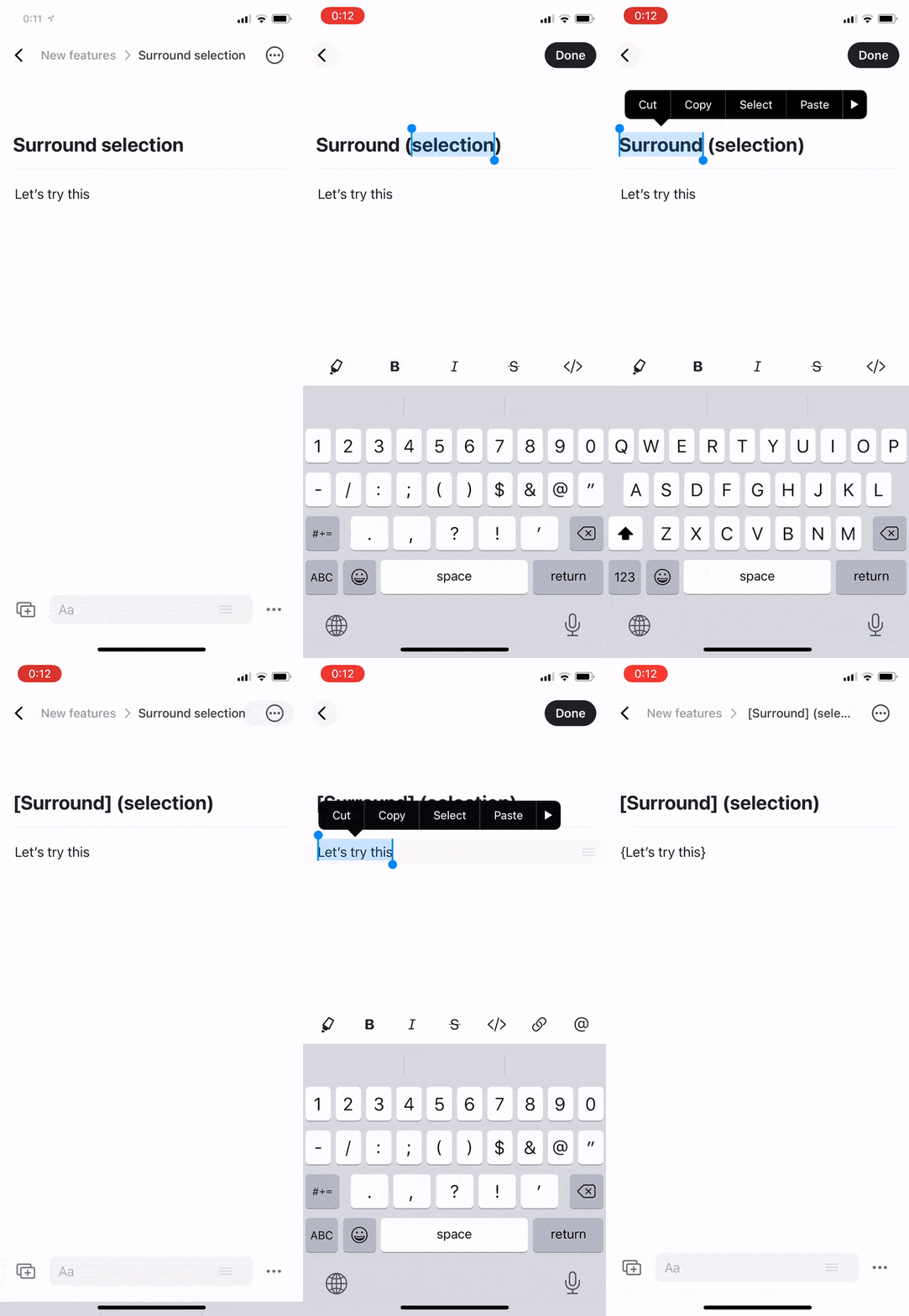
Supported Characters
Surround Selection works with three types of brackets:- Parentheses – Type
(to wrap with( ) - Square brackets – Type
[to wrap with[ ] - Curly braces – Type
{to wrap with{ }
Surround Selection works on Mac, iOS, iPadOS, Windows, and Web – making text editing consistent across all platforms.
Use Cases
This feature is particularly useful for:- Code snippets – Wrap variables or parameters with brackets
- Citations – Add parentheses around reference numbers
- Lists – Create sub-items with square brackets
- Formulas – Group mathematical expressions with parentheses
- Notes – Add side notes or clarifications in parentheses
Quick Example
Instead of:- Positioning cursor before text
- Typing opening character
- Moving to end of text
- Typing closing character
- Select the text
- Type the opening character
On iOS and iPadOS, Surround Selection is especially valuable since cursor positioning and text manipulation with touch can be slower than on desktop.